AI STICKERS FROM YOUR PHOTOS

Make yourself the sticker.

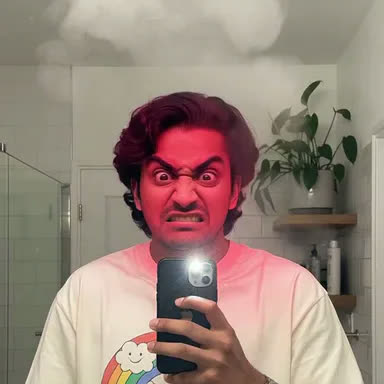
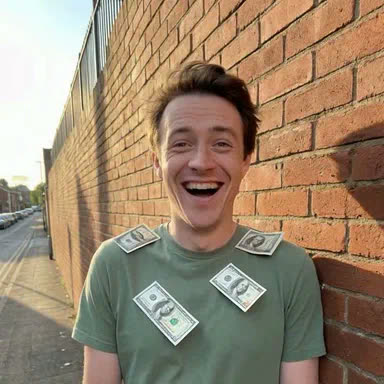
Dappi takes one photo and animates it into a looping sticker — cropped, polished and ready to send in WhatsApp. You, brought to life and doing the happy dance.

You, brought to life — from one photo and a sentence.
Home
YOUR PACKS
My Reactions
Work Chat
TRENDING TEMPLATES
Happy Dance
Blow Kiss
+
THREE STEPS

Photo in. Sticker out.

No editing skills, no timeline, no fiddling — just a photo and a sentence.

STEP 1

Pick a photo

Camera or library — then crop it square. A clear face front and center works best.

STEP 2

Say what happens

"Blow a kiss." "Happy dance." "Slow clap." The AI animates your photo into a living, looping sticker.

STEP 3

Add to WhatsApp

One tap sends your pack straight into the WhatsApp sticker tray. Start sending.

TEMPLATES

Don't know what to make?
Steal an idea.

Trending templates are ready-made recipes — tap one and your photo drops right in.

TRENDING
Happy Dance
TRENDING
Cry Laugh
NEW
Confetti Pop
NEW
Blow Kiss
THE GOOD PARTS

Small app. Sharp tricks.

Packs that grow with you

Organize stickers into your own packs, set a cover, and ship the whole pack to WhatsApp in one move. Add a sticker later and re-send — the pack updates.

Backgrounds & frames

Cut yourself out of the background or keep the scene. Swipe through frames and see the result live — before you commit to anything.

Always fits, automatically

WhatsApp is strict about how a sticker has to be made. Dappi handles all of it automatically, so yours always drops in cleanly and never bounces.

Your photo isn't a souvenir

Your source photo is used once — to make your clip — then deleted from our servers. The stickers are yours; the photo stays yours too.

Be the sticker.

A winking, dancing, laughing you — dropped straight into the group chat. Not a cartoon, not a template: your actual face, actually moving. That's the whole idea.

Fair questions.

Are the stickers really animated?+
Yes — real looping animation, not a still with a filter. Your photo becomes a short video clip, which Dappi converts into an animated WhatsApp sticker on your phone.
What happens to my photo?+
It's used once to generate your clip, then deleted from our servers. Your finished stickers live in your library on your device and in your account.
Do I need an account?+
You can browse templates and set your whole sticker up — photo, prompt, length, background, frame — without one. You'll just need to sign in to actually generate it, so your stickers have somewhere to live.
Will it actually work in WhatsApp?+
Every Dappi sticker is formatted to work in WhatsApp automatically, so it drops straight into your sticker tray without getting rejected.

More questions? Read the full FAQ →

Be the sticker
everyone steals.

iOS first. Android next.

Get Dappi for iPhone