Published November 22, 2026. Updated November 22, 2026.
A chibi is you drawn tiny and cute, with a big head on a small body. This guide shows how to make one from a photo with an AI chat app, with apps already on your iPhone, or with a dress up maker that uses no AI, then how to keep it looking like you and send it as a sticker.
Point your iPhone camera at the code to get Dappi.
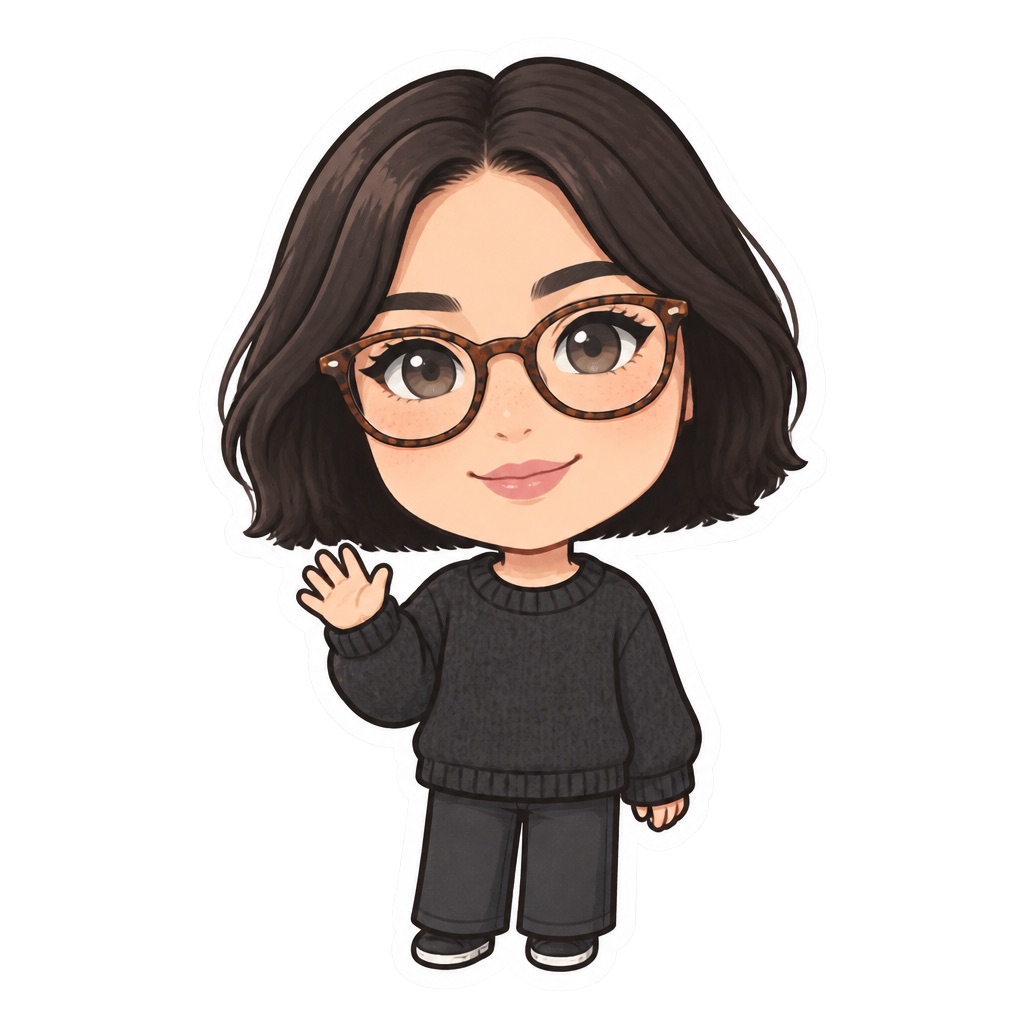
To make a chibi of yourself, add a sharp photo taken from the front to ChatGPT or Gemini and ask for a chibi: a big head on a small body about two heads tall, with the face from the photo kept and your eye shape, hairstyle, hair colour, skin tone, glasses and clothes named in the prompt. A chibi redraws the face with huge eyes and a tiny nose and mouth, so the features you name carry the likeness, and a prompt that names none of them gives you a generic anime character. ChatGPT is a good place to start, because it is free to try and can turn the chibi into stickers for iMessage or WhatsApp. ChatGPT can also turn the chibi into a short GIF that plays at very few frames per second. Before you keep a chibi, put it next to your photo and ask whether a friend would know who it is from the hair, glasses and clothes alone.
How to make a chibi of yourself: pick a way
To make a chibi of yourself, or to chibify a friend, you choose between an AI app that redraws a photo from your words, a web tool that redraws it in one tap, and a maker where you build the chibi by hand. ChatGPT and Gemini lead the AI apps, and neither has a chibi button, so the words you write decide how much the chibi looks like the person. Gemini accepts more than one picture at a time, which helps when you want to show it a chibi style you like. We found no independent test that compares the chibis these apps make, so if the first result disappoints, try the same photo and prompt in the other app.
Image Playground, Apple's own image app, makes a chibi on newer iPhones, with less control over the look. If you would rather not send your face to an AI company, a dress up maker such as Picrew or ChibiStudio lets you build a chibi of yourself from parts, and you can also draw one. Web chibi makers turn a photo into a chibi in one tap. This guide covers chibi pictures and stickers. For a chibi you can hold, chibify.com is a shop that makes custom chibi figurines.
Facts about each app on this page come from its own website, help pages or App Store page, checked on November 22, 2026. These apps change often.
How to make a chibi for free
Every way on this page has a free start, and each free start has a limit. ChatGPT and Gemini have free plans that cap how many pictures you make, Image Playground is free on iPhones that support it, and web makers such as PixelBin give a few free chibis a month. Picrew and ChibiStudio are free to download and use no AI at all.
A free cartoon avatar from a photo works the same way, because a chibi is one cartoon look among many. Ask ChatGPT or Gemini for the look you want, and our guide to turning a photo into a cartoon on iPhone has prompts for other cartoon styles.
Which photo to use for a chibi
A sharp photo of one person, facing the camera in even daylight, gives a chibi the most to work from. Keep the whole hairstyle inside the frame, keep hands and sunglasses away from the eyes, and crop a group photo down to the one person first. For a full body chibi, pick a photo that shows the outfit, or describe the outfit in the prompt.
A clear photo taken from the front keeps the hair, glasses and clothes easy to recognise in the chibi, and those are the details a friend will know you by.
Make a chibi from a photo with ChatGPT
ChatGPT turns a photo into a chibi when you upload the photo and describe the change you want, as OpenAI's help page on images explains. OpenAI's announcement of its September 2026 image update says ChatGPT is better at keeping the subjects of your reference photos and better at following a visual style.
Open the ChatGPT app, start a new chat, add your photo from your library and send a prompt like the one below. When the chibi arrives, look at it next to your photo and check the hair, eyes, glasses and clothes. Ask for one change at a time in the same chat until it looks right, then save the picture to your photo library.
Prompt for ChatGPT or Gemini, one chibiTurn the person in this photo into a chibi character: a big head on a small body about two heads tall, large eyes, a tiny nose and mouth, soft rounded shapes and clean outlines. Use the original face from the photo and keep the same eye shape, jawline, skin tone, hairstyle, hair colour, glasses and clothes. Full body, standing and waving with one hand, on a plain white background. No text, no change to the face, no distorted proportions.
The first sentence of that prompt sets the chibi shape, the second lists what has to survive the redraw, the third sets the pose and the background, and the last names what to avoid. Change the keep list to fit the person. A nose ring, a gap between the front teeth, a red beanie worn every day or a bright green hoodie is the kind of detail that makes a chibi read as one person.
To copy the look of a chibi drawing you like, add it after your photo and give each picture a job, such as "Image 1 is the person. Image 2 is only the art style." OpenAI's prompting guide recommends numbering the pictures you add this way. Use a drawing you made yourself or have the right to use.
ChatGPT's free plan has a limit on how many pictures you can make, and OpenAI publishes no number for it. When you reach it, ChatGPT shows a notice with an option to upgrade, according to OpenAI's free plan help. Checked on November 22, 2026.
A chibi sticker prompt for ChatGPT
The shortest chibi sticker prompt people share is a one line request such as "Turn me into a chibi sticker set", sent with a clear photo. A longer prompt gives you more say over the poses and keeps the face steadier. Write what has to stay the same for every chibi in the set, because a prompt that protects the face only once lets the later chibis drift away from it.
Prompt for ChatGPT, a chibi sticker sheetMake a sticker sheet of four chibi versions of the person in this photo, each about two heads tall with a big head and large eyes. Every chibi keeps the same face shape, hairstyle, hair colour, skin tone and glasses as the photo. One action each: waving, laughing with eyes closed, asleep on a pillow, and holding a big coffee cup. A thick white border around each chibi, a plain pale pink background, no text.
Give each chibi one action, because several actions in one chibi make the pose messy. If you plan to turn each chibi into a sticker in the Photos app, ask for each one as its own picture instead, so Photos has one clear subject to cut out. OpenAI says ChatGPT's image model can make transparent backgrounds. A grey and white checkerboard drawn into the picture is still a solid background, as OpenAI's prompting guide warns, so when you see one, ask for a plain white background and cut the chibi out in Photos.
Turn a photo into chibi stickers in ChatGPT
ChatGPT can turn your photo straight into a set of chibi stickers with its Stickers feature. OpenAI's release notes from August 31, 2026 say you can turn an idea or a photo into a set of stickers, then download them or add them to iMessage or WhatsApp on supported devices, and that the feature is available to all ChatGPT users on mobile. Write the chibi shape and the list of features to keep into your request, the same way as in the prompts above. The stickers are still pictures. Checked on November 22, 2026.
Make a chibi with Gemini
Gemini, Google's AI app, redraws a photo you upload in a style you describe, as Google's help page on images explains, and it is free to try on iPhone. Google's page names styles such as watercolor and cartoon illustration and has no chibi option, so the ChatGPT prompts above work in Gemini as they are.
Open the Gemini app, add your photo, type the prompt and send it. Google lists Nano Banana 2 as the image model on every account, including accounts with no plan, and says it accepts several reference pictures, so the trick of adding a chibi drawing for the art style works here too.
Gemini gives no daily number for pictures. Google's limits page says your limit refreshes every 5 hours until you reach a weekly limit, and paid Google AI plans get more. Redoing a picture with more detail in Nano Banana Pro needs a Google AI plan, and image editing is not available to people under 18. Google's pages do not mention transparent backgrounds, so ask for a plain white one and cut the chibi out in Photos. Checked on November 22, 2026.
Why your chibi doesn't look like you
A chibi redraws the face with much bigger eyes and a smaller nose and mouth, so a prompt that only asks for a chibi leaves the app to guess the rest, and the result often looks like a generic anime character. Name what to keep: the eye shape, nose, jawline and skin tone, then the hairstyle, hair colour, glasses, freckles and clothes.
If the chibi looks like a generic anime character, push the proportions further with words such as super deformed or two heads tall, and take out words such as realistic or detailed skin. If it still looks too much like a photo, ask in the same chat for a bigger head and a shorter body. If the face changed, write what has to stay, such as the eyes, hairstyle and glasses, and ask for nothing else to change. OpenAI's prompting guide gives the same advice for edits: list what must stay the same, and change one thing at a time.
Make a chibi on iPhone with Image Playground
Image Playground is Apple's own image app on iPhone 15 Pro or later with Apple Intelligence, and it makes a picture from a person in your Photos library, up to three people at once, or from a photo of something else, such as your pet. Apple has no chibi style, so tap Style, choose Any Style or ChatGPT, and describe the chibi look in words. The steps are in Apple's iOS 27 guide to Image Playground.
Image Playground can only pick a person who is named in the Photos app. Apple says that when your description does not match the person you chose, the picture follows the photo, so describe the chibi shape, the pose and the outfit, and leave the face to the photo. With three people you can put yourself and two friends side by side as chibis in one picture. Apple says usage limits may apply, and with the ChatGPT style you choose what to send to ChatGPT. Checked on November 22, 2026.
Genmoji, Apple's own emoji maker, turns a photo of you or a friend into an emoji sized character that you can send as a sticker or a Tapback, and it is saved with your stickers, as Apple's Genmoji guide says. A Genmoji is small and round, closer to an emoji than to a full chibi, and works well as a quick reaction in Messages.
Chibi maker from photo: free web tools
Web chibi makers turn a photo into a chibi in Safari with no prompt to write, and most give a few free tries before they ask you to pay. These facts come from each tool's own page, checked on November 22, 2026.
PixelBin's chibi maker makes up to three chibi avatars a month for free, needs no account for basic use, takes photos up to 10 MB and says its downloads are HD with no watermark. Fotor's chibi maker says it keeps key facial features, offers free trials to new users and may need a paid plan for higher quality downloads. FlexClip's chibi maker starts from a photo or from text. Neolemon has 12 art styles and gives enough free credits for about five chibis before a monthly plan.
Web tools give you a still picture in their own chibi look, which you cannot steer as freely as with a prompt. Several do not say on their pages whether free downloads carry a watermark, so download one test before you rely on a tool. Photo to chibi apps on the App Store have very few ratings so far: Chibify: AI Chibi Avatar Maker had none, Chibi Ai had 3 and ChibiGPT had 1 when we checked. Read the developer name and the In App Purchases list before you install one.
Chibi maker with no AI: Picrew, ChibiStudio and Gacha Club
A dress up maker lets you build a chibi of yourself from parts, with no photo upload and no AI. You choose the hair, eyes, skin tone and clothes that match you, so the likeness depends on how closely you match your own look. The facts below come from each app's App Store page, checked on November 22, 2026.
Picrew holds more than 10,000 image makers drawn by artists, many of them chibi makers, and you can use it in Safari or in the iPhone app, Picrew OC Maker & PFP, rated 4.7 from about 16K ratings. The free app shows ads, which many low App Store reviews from 2025 complain about, and a subscription removes them. Each image maker has its own rules for how you may use the picture, so read them before you use your chibi outside your own chats.
ChibiStudio: Chibi Maker builds a chibi from sets of hair, eyes and clothes, and it is rated 4.7 from about 23K ratings. Its App Store page says you can export your chibi as an image for a profile picture or a sticker, and extra sets cost money, with no subscription. Gacha Club is a dress up maker and a game, rated 4.2 from about 152K ratings, and its page says it is free with no in app purchases, though it was last updated in August 2023.
Draw a chibi of yourself
Drawing a chibi of yourself takes longer than any app and gives you full control over every line. Draw the whole figure about two to three heads tall, with a big head, large eyes and a tiny nose and mouth. Your likeness comes from the same details an AI prompt needs: the outline of your hairstyle, your glasses, freckles or a favourite jacket.
Turn your chibi into an iMessage or WhatsApp sticker
Any chibi picture saved in your photo library becomes an iMessage sticker on a recent iPhone: open it in the Photos app, touch and hold the chibi, let go and tap Add Sticker, as Apple's guide to stickers from photos explains. You can then add an effect such as Outline or Comic. The sticker sits in the stickers menu on your keyboard and syncs to your other Apple devices through iCloud. A plain background helps Photos find the whole chibi, and our guide to photo stickers on iPhone covers every step.
Look at the sticker on a light chat and a dark chat before you send it to everyone. Check the hair, glasses and hands in particular, along with the edges of the cut out.
WhatsApp can make a sticker from a photo inside a chat, as WhatsApp's help page explains, so a chibi saved in your photos can become a WhatsApp sticker. WhatsApp's own AI stickers start from a typed description only, in some countries, so they cannot turn your photo into a chibi. Chibi stickers made in ChatGPT can be added to WhatsApp as a set from ChatGPT, as OpenAI's release notes say. ChatGPT gives no simple way to copy one sticker and paste it into a WhatsApp chat. Checked on November 22, 2026.
Make an animated chibi sticker or GIF
A chibi from most of the ways above is a still picture, so an animated chibi needs a tool that makes GIFs or video.
ChatGPT can turn a still chibi into a GIF when you upload the chibi and ask ChatGPT to animate it, and it can also make an animated chibi straight from your photo and a prompt. ChatGPT's GIFs are short and play at very few frames per second, a few slightly different drawings of the character shown one after another, and the free plan limits how many you can make. Gemini's Create video makes short looping GIFs of about 3 seconds from your pictures, but Google's help says it needs a paid Google AI plan on a personal account, runs on a computer at gemini.google.com and is available in 8 countries. FlexClip says its other AI tools can turn your chibi into a video, and PixelBin offers a Convert Image to Video option, but both give you a video file to turn into a sticker yourself. ChatGPT and Gemini give you a GIF, and none of the tools in this section gives the animated chibi back as a sticker. Checked on November 22, 2026.
A GIF sends in iMessage as it is. In WhatsApp, a GIF needs a sticker app to become an animated sticker, and our guide to turning a GIF into a WhatsApp sticker has the steps.
Chibi ideas for you, your friends and your pet
The chibi stickers you will send most are everyday reactions, such as waving hello, a thumbs up, or face down on a desk at the end of a long day. Make those first, so one set lasts for years of chats. Then go bigger: your chibi riding your own cat like a horse into a work meeting, the whole group chat as a chibi boy band in matching silver jackets, or a friend's chibi waving from the top of their own birthday cake.
A pet makes a good chibi too, and ChatGPT and Image Playground both take a pet photo. Name the fur colour, markings, ear shape and eye colour the way you would name hair and glasses for a person. Your dog can become a chibi knight in a cardboard helmet, guarding the treat cupboard.
Ask a friend before you make a chibi of them, and again before you post it anywhere public. The photo goes to the company that runs the app, so pick one the person is happy to share.
Chibi mistakes to avoid
A long chain of small edits in one chat is the mistake that costs the most likeness. Each edit can change details you meant to keep, so after a few rounds the face has drifted. Start a new chat with the original photo and your best prompt so far, with every fix written into it.
Paying for a chibi app or web tool before you have seen one free result is the other mistake to avoid, since ChatGPT, Gemini and several web makers let you try first.
Make an animated chibi sticker from your photo with Dappi
Dappi is a sticker and GIF app for iPhone that turns your photo into an animated chibi sticker in one app, the step the other ways leave to a second tool. You choose a chibi look for your photo, describe what happens, and Dappi makes a short AI video that you send as a GIF in iMessage. For WhatsApp, you can copy the sticker in Dappi and paste it into the chat. Dappi's AI stickers and GIFs are made by AI video models, so you can expect smooth motion from start to finish. Download Dappi on the App Store.
You need the Dappi app on your iPhone.
AI Sticker in Create starts from your photo, and the Style row under it has three chibi looks you can pick from. Chibi draws you as a small, flat character with simple shapes, Chibi sticker gives a clean vector look with thick outlines, and Chibi pixel turns you into a tiny pixel art game character. If you want to see an example first, you can touch and hold a style, then tap Use this style. Dappi redraws your photo as one still chibi picture in that look, with your pose and the place kept, then animates that picture from what you write in Describe what happens, for the Length you choose.
If you already have a chibi you like from ChatGPT or Gemini, you can save it to your photos, add it to AI Sticker with the Style row left on None, and describe what it does. Dappi then starts the animation from your own chibi.
For a chibi in a whole new scene, such as on a stage or inside a giant teacup, AI Pro has the same Style row. You can pick a chibi look, write the scene, and tap Generate Image to see the chibi picture before it is animated. Edit picture changes it, New picture gives you another one, and Step 2: Animate is where you describe what happens next.
The still chibi picture stays with the sticker. You can swipe on the sticker's page to reach it, then save it to Photos or send it as a still sticker too.
Here is Dappi's Boring recipe, a Chibi sticker made from a photo with AI Pro:
Sticker
Boring, a bubblegum bubble that pops
First frame words, AI Pro, Chibi, then Premiere Lite, 4 secondsClose head and shoulders, face turned three-quarters toward the picture's left, head tilted, top of head at the top edge, cropped at the upper chest showing shoulders and top, bored heavy-lidded simple black oval eyes with no whites, mouth closed, plain pastel pink background
A recipe is a ready idea with the prompt and settings filled in, which you use with your own photo, and Boring also fills in a detailed What happens prompt for the bubble. You can find Boring on Home and make it with your own photo through Add your photo.
When the sticker is ready, Edit video lets you add text, word art or emoji, such as SO BORED popping in as the bubble bursts, with a timeline that sets when each one appears. The download icon opens Save this sticker, with Save video or Save as GIF. To send it, tap iMessage and it arrives as a GIF. For WhatsApp, tap WhatsApp on the sticker page, tap Copy sticker in the Copy to WhatsApp window, tap Open WhatsApp, open the chat, tap the message box, tap Paste and send it, and it arrives as a sticker.
Dappi is an independent app. It is not affiliated with, endorsed by, or sponsored by WhatsApp LLC, Meta, or Apple. WhatsApp is a trademark of WhatsApp LLC.