
How to make my photo dance: the two kinds of app
To make your photo dance, you either give an app a dance to copy or you describe the dance in words, and the kind of app you pick decides how much the result looks like a real dance.
Dance apps copy a dance. You add your photo and pick a dance from a library, or add a video of someone dancing, and the app puts the person in your photo into that dance. Viggle AI, Kling's Motion Control and CapCut's dance templates work this way, and this is the way to get a recognisable trend dance with footwork.
Prompt tools animate the photo from a sentence you write. Google Photos, Meta AI, TikTok AI Alive and Gemini work this way. They can make someone sway, wave or spin, and none of them promises a full dance.
Which one to start with depends on what you want. For a trend dance with your photo, start with Viggle AI or a CapCut dance template. To copy a dance from a clip you have onto your photo, use Viggle's Mix or Kling's Motion Control. If you want to pay nothing, Google Photos is free, with a daily limit and no promise of a dance. A pet does best with a CapCut pet dance template or PixVerse. For a dance you describe yourself and send as a sticker or a GIF, Dappi is in the last section.
Every way below works on an iPhone with the app for that way installed. Facts about each app come from its own App Store page, website or help center, checked on November 21, 2026, and apps change often.
| Way | You give it | Free to try |
|---|---|---|
| Viggle AI | A photo and a dance | A few videos a day, watermarked |
| CapCut templates | A photo | CapCut does not say |
| Kling Motion Control | A photo and a dance | Free tier mentioned, no amount |
| Google Photos | A photo | Yes, with a daily limit |
| Meta AI, TikTok AI Alive | A photo and a prompt | No price listed |
| Gemini | A photo and a prompt | No, a paid plan |
Which photo works best for a dance video
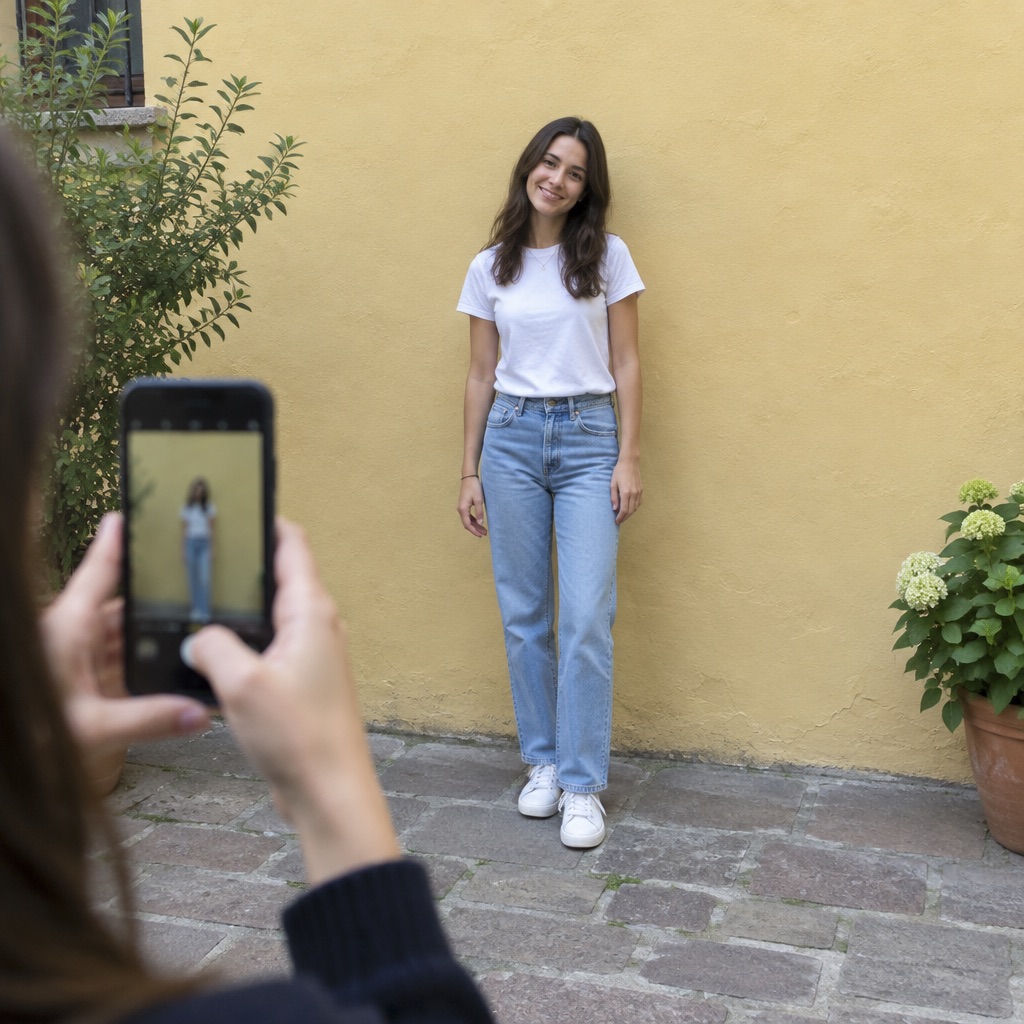
A sharp, well lit photo of one person standing, with the whole body in the frame from head to feet, gives the smoothest dance. The dance apps give the same advice on their own pages.
The whole body matters most. Viggle says full body photos animate most smoothly and asks you to avoid photos where the body is cut off, and Kling says the feet need to be in the photo for footwork. A head and shoulders selfie can still dance, but the app has to invent the legs. Face the camera, too: Viggle asks for a clear photo taken from the front, in good light, and Kling asks for a photo where the face and the body are both easy to see.
Keep to one subject. Kling asks for one main subject, and CapCut's pet page asks for a clear photo of one animal. When you use your own dance video, Kling says the dancer's first pose should be close to the pose in your photo, so a person standing upright suits a dance that starts upright. Hold the phone upright when you take the photo, because Google Photos crops a landscape photo to portrait, and a tall photo with space around the body keeps the head and feet in the shot.
If the photo you love is a close up, take a new one: stand with room above your head and below your feet, and ask someone to take it for you.
Make a picture dance with Viggle AI
Viggle AI is the best known app built only for making a photo dance, and it is the one to try first for a trend dance. The iPhone app, Viggle AI: Meme & Dance Maker by WarpEngine, is rated 4.8 from about 31K ratings and is free to download with in app purchases. It needs iOS 16 or later and is in English only.
Viggle has two ways in. You pick a ready dance or meme from its library, or you use Mix, which takes your photo and a video of someone dancing and puts the person in your photo into that video. Viggle's dance page says it can also put several people into one video.
Install Viggle AI: Meme & Dance Maker from the App Store, and check that the developer is WarpEngine. Pick a dance from the library, or choose Mix if you have your own dance video, then add your photo and generate the video. Viggle's dance page says a video takes under a minute, and the free plan makes one video at a time. When it is done, download the video to your iPhone.
Download what you like soon. Viggle's pricing page says videos on the free plan are kept for 7 days. Free videos carry a Viggle watermark, which a paid plan removes, and free credits refresh every day. Viggle's own pages give different numbers for how many free videos you get a day, so expect only a few. Checked on November 21, 2026.
For Mix, use a dance clip you filmed yourself or have the right to use, with the dancer's whole body in view. The person in your photo takes on that dance.
Make your photo dance on CapCut with a template
CapCut's AI dance templates make a photo dance on a phone without a separate dance app: you open a dance template and add a clear photo taken from the front. CapCut is the top free Photo and Video app on the US App Store, rated 4.6 from about 1.1M ratings, checked on November 21, 2026.
Install CapCut: Photo & Video Editor by ByteDance and find an AI dance template. CapCut's website has a gallery it calls free AI dance templates. Open the template and follow the steps it shows, because CapCut's pet dance page says each template gives its own instructions when you open it. Add your photo where the template asks for it, then save the result to your iPhone or post it.
CapCut's website gives no steps for its dance templates and sends you to a log in when you tap Try online. CapCut's pages do not say which dance templates are free, whether the result carries a mark, or which music comes with a template, so check the export before you post. Checked on November 21, 2026.
CapCut also describes a feature called Mimic motion, which takes your photo and a motion template or a reference video, much like Viggle's Mix.
Make someone dance with Kling AI Motion Control
Kling's Motion Control puts the person in your photo into a dance you pick from its library or copy from your own video. Kling's own page says you upload a photo of a person or a humanlike character, then choose a move from its Motion Library or add your own dance video of 3 to 30 seconds. It makes the video at 720p or 1080p.
To try it, open Kling's AI dance page in Safari and upload your photo. Choose a move from the Motion Library or upload your own dance video, then choose 720p or 1080p and make the video.
Kling's dance pages say a free tier is available without giving an amount. Kling's iPhone app, Kling AI: AI Image&Video Maker, is rated 4.7 from about 35K ratings and sells credits and plans. Checked on November 21, 2026.
Make my photo dance with AI for free
Only a few ways to make a photo dance are free to use, and each free way has a limit. The ones whose own pages say what you get for free, checked on November 21, 2026, are these. Viggle AI gives a few videos a day, with a watermark, kept for 7 days. Google Photos makes a limited number of photo to video clips a day, with no promise of a dance. Dancely makes your first video free, a 5 second clip with a watermark, and later videos use credits. HeyDance gives some free credits to start, with no sign up, though the app has only a handful of ratings.
Meta AI and TikTok AI Alive list no price for animating a photo. Both turn a photo into a short video from a sentence, so they suit a sway, a spin or a happy wiggle better than a trend dance.
Google Photos
Google Photos is free on iPhone, and its Photo to video tool has an effect called I'm feeling lucky that Google's help says sometimes adds more motion, such as dancing, or effects such as confetti or balloons. Dancing is possible, not promised. The steps on iPhone, from Google's help page:
- Open Google Photos and tap the Create tab.
- Tap Photo to video, then Try Now.
- Add your photo.
- Choose Subtle movements or I'm feeling lucky, or write a prompt.
- Wait for the video, then tap Save or Share.
Google's help says the photo has to be backed up, the tool needs a personal Google Account and is not in every region, and text prompts are for people 18 and over. The videos may now have sound. Checked on November 21, 2026.
Meta AI
The Meta AI app animates a photo from a prompt that starts with the word Animate. Meta's help page says to open the Meta AI app, tap Upload at the bottom left and pick your photo. Then type a prompt that starts with Animate and describes the dance in detail, and tap Send.
Meta says the video may take some time and its apps are not yet available everywhere. Meta does not list a length or a daily limit. Checked on November 21, 2026.
TikTok AI Alive
TikTok AI Alive turns a photo into a short video for your TikTok Story from a text prompt. TikTok's help page gives these steps:
- Go to your Profile and tap your profile photo to open the Story camera.
- Take a photo or tap Upload to pick one.
- Tap the AI Alive button on the side panel.
- Write a prompt, such as asking for a dance, or use the default one, then tap Continue.
- Post it to Your Story.
TikTok says a video takes about a minute and drafts expire after 7 days. AI Alive works only in the Story camera, with one photo per Story, and TikTok marks each video as made with AI. TikTok's help does not mention dancing, so treat a dance as something to try. Checked on November 21, 2026.
For any of these prompt tools, a detailed prompt works better than one word. Name the dance, say what the arms and feet do and in what order, and ask for the whole body to stay in view. Our guide to animating a photo on iPhone has more on prompts for photo to video tools.
Other AI dance apps for photos
Many other apps make a photo dance, and each has a smaller following or a bigger catch than the ones above. Facts come from each one's own page, checked on November 21, 2026.
Dance AI: Video Generator is one of the first Google results for make a picture dance, rated 4.6 from about 18K ratings. It turns a photo of a person, a child or a pet into a dance video, and it charges a subscription plus separate coins.
Gemini, Google's AI app, makes video clips of 3 to 10 seconds from up to 5 photos and a prompt. Google's help says it needs a paid Google AI plan for personal accounts and is not for people under 18. Every video carries SynthID, an invisible mark that shows it was made with AI.
PixVerse has Action Imitation: you upload a dance video and a photo, and it makes the person or pet in the photo copy the dance. Its site says it works with people, pets and groups. Many look alike apps sit next to it on the App Store, so check the developer name before you install.
YouCam Video by Perfect Corp has an AI Dance tool, where you choose a photo, pick a dance, tap Generate, preview the video and save or share it. Perfect Corp says some features may need a subscription. Edits, Instagram's video editor app, lists AI image animation, but Instagram gives no steps for it and does not mention dancing.
Photo Dance: AI Baby Dance lists more than 500 dance templates for faces, full bodies and pets, and its App Store age rating is 18+. Smaller apps have few ratings so far. Dancely checks on your phone that the whole person is in the photo before it starts, and Danz copies a dance video you upload onto people, pets or anime characters. Photo Revive lists dances for people and pets, and Revive by RefaceAI lists dancing among what it does with a photo.
Most of these apps sell weekly subscriptions, so read the mistakes section below before you try one.
Make your pet dance
A pet photo can dance too, and many apps list pets on their own pages. Use a clear photo of one animal, as CapCut's pet page asks.
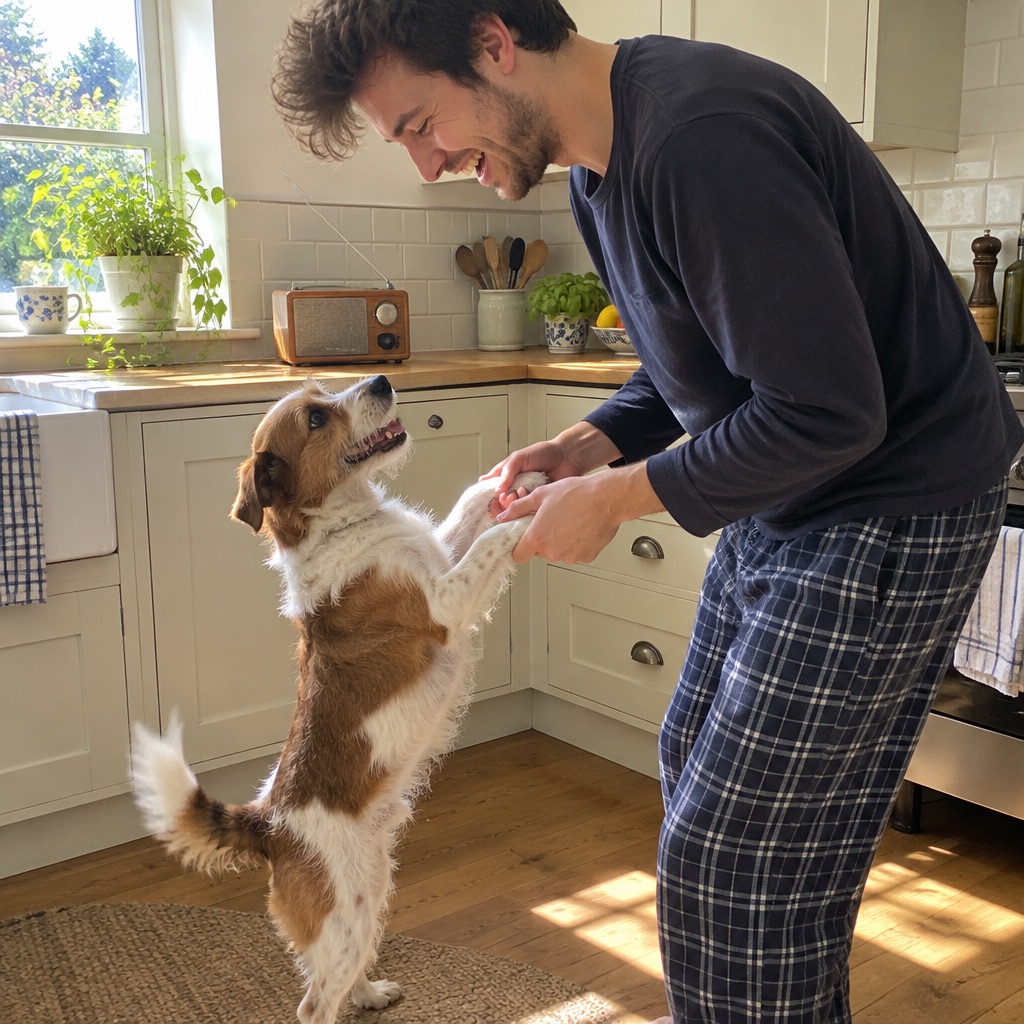
CapCut has a pet dance page where you start with that photo and choose a pet animation or dance template. CapCut adds a useful warning: do not assume a dance made for a person will work as well on an animal, so pick a template made for pets. Viggle's pet dance page says it handles dogs, cats and mascots, and PixVerse's Action Imitation lists pets among the subjects it can make dance.
Pawz AI is built only for pet dances, such as hip hop, salsa or the Macarena, for dogs, cats, rabbits and birds. Its AI features need a subscription, and recent low reviews say the trial gave enough for one video. ViralPet says every template is made for animals so faces stay recognisable, but it has too few ratings to judge. Dance AI, Photo Dance, Photo Revive and HeyDance also list pets.
For more pet ideas, our guide to pet stickers shows how to turn a pet photo into stickers.
Make a picture dance to music
The music in a dance video comes from the app that makes it, and each app handles it differently. PixVerse says its Action Imitation matches the movement to the beat, and Google's help says Photo to video clips may now have sound. CapCut's App Store page lists music clips and sound effects you can add to a video, so you can save a dance video and add a song in CapCut before you post.
In a 2024 App Store review of Viggle, a user reports a copyright flag on Facebook for a video posted with a template's music. Check the sound before you post a dance video on a social app.
Funny dance video ideas from a photo
The funniest dance videos give someone a dance nobody would expect from them, made with their OK. Start with the obvious one, your own photo doing this week's trend dance, then go further. Your dad in his suit from a wedding photo can do a full breakdance routine, spins on the floor included, and your parents' wedding photo can turn into a slow first dance for their anniversary.
Your graduation photo can do a victory dance in the cap and gown, and a baby photo can do a tiny, very proud victory dance for the family chat, with the parents' OK. The cat who ignores everyone can dance a slow, very serious salsa. The whole group photo can do one routine together, which Viggle says it can do with several people.
To go bigger with a prompt tool, ask for the dance to end with a shower of confetti, which Google Photos can add with I'm feeling lucky.
AI dance app mistakes to avoid
In the recent low App Store reviews of dance apps we read, most complaints are about money and failed videos, not about the dance itself. These come from the apps' own pages and from those reviews, read on November 21, 2026.
The first mistake is paying before you see a result. Reviewers of Photo Dance: AI Baby Dance, DanceHit and ReelMe say the app asked them to pay only after they had picked a photo, or after they subscribed found that videos also needed extra credits. Read the In App Purchases list on the App Store page before you start, and try a free way first.
A weekly subscription is easy to forget. Several dance apps charge by the week, and reviewers say cancelling was hard. You can cancel from your iPhone, as Apple's guide shows: open Settings, tap your name, tap Subscriptions, tap the app and tap Cancel Subscription. If the app is not in the list, Apple says to search your email for a receipt from Apple to find which Apple Account paid, and, with no Apple receipt, to check your bank statement and contact the company that charged you. Checked on November 21, 2026.
Free videos can carry a watermark: Viggle's and Dancely's do, so check the export before you plan to post. Some videos fail or never finish. Reviewers of several dance apps describe renders that freeze or fail with no reason, and one Viggle reviewer says template videos took 15 to 18 minutes. One Dance AI reviewer also says the dance changed their face. Try a different photo, with the whole body in view, before you spend more, and watch the whole video before you post.
Videos also disappear. Viggle keeps free videos for 7 days and TikTok AI Alive drafts expire after 7 days, so save the ones you like to your iPhone. A photo with the head or feet cut off leaves the app to guess, so give it a full body photo with space around it. Search results for popular dance apps are full of look alike copies, so check the developer name on the App Store page before you install.
Using a photo of someone else
Ask before you make someone else's photo dance, and ask again before you post it. Kling's dance page says the same: get permission before you animate a person who can be recognised.
The photo goes to the app's company. Dancely says it sends the photo to fal.ai, a company that runs AI models, and deletes it when the video is done, and Dance AI says photos are not stored permanently. Google Photos needs the photo backed up to your Google Account. For any other app, the App Privacy section on its App Store page says what it collects.
Ask a parent before you use a photo of a child, and keep videos of other people's children out of public posts. Make it clear the video is made with AI. TikTok marks AI Alive videos as AI made and Google marks Gemini videos with SynthID, and a caption that says so keeps the joke a joke. Keep it something the person would laugh at too: a dance that makes a friend look silly in a group chat is different from one posted where their boss or school can see it.
Make your photo dance with Dappi
Dappi is a sticker and GIF app for iPhone that makes AI video stickers and GIFs from a photo, and the dance comes from your own words instead of a dance library. You add any photo, describe the dance in the prompt box, and Dappi makes a short AI video that starts from your photo. Download Dappi on the App Store.
The dance apps above give you the dances in their library, and the free prompt tools rarely go past a sway. With Dappi you decide the whole routine: a shoulder shimmy into a spin, a slow waltz, a victory dance on a table, with the expression and the camera you want. You start from the plus button, then AI Sticker, and add your photo with Camera or Library.
Premiere and Premiere Lite are the models for a dance, because both follow long, detailed prompts. For a pet, use either one, with a little more detail in the prompt than you would give for a person. A prompt that gets close to the dance you imagined describes the dance step by step: what the knees, hips, shoulders, arms and feet do, and in what order. It puts timings inside the length you pick, from 3 to 6 seconds, such as the spin starting at 2 seconds, and it can add a scene change, such as a close up of the face before the dance starts. Then it gives the expression, such as a proud grin or very serious focus, and asks the camera to stay wide so the whole body, head to feet, stays in the frame. It ends with the sound: the music you want, its tempo and instruments. You hear it when you play the dance in Dappi, since a GIF or a sticker has no sound.
Dappi also has recipes, ready ideas made of a prompt and settings that you use with your own photo. Disco Handshake is a dance recipe for a photo of two people: they shake hands and break into the same dance together. It is on the Explore page under Dance. For a dance somewhere new, such as on a stage or a rooftop, AI Pro first makes an AI picture of you in the style and scene you choose, then animates it, on a paid plan or with bought credits. A style from the row under your photo, such as Anime, Clay or Pixel art, changes the look before the dance starts.
When the dance is ready, you can tap Edit video to add a caption, word art such as LET'S GO! or emoji, give the text a Bounce or Wave motion, and use the timeline to choose when each one appears or to trim the clip. You can send it from the sticker page: tap iMessage and it arrives as a GIF, or copy it into WhatsApp, where it arrives as a sticker. The download icon also saves it to your Photos with Save as GIF. If you filmed a real dance, the Free option turns up to 6 seconds of your own video into a regular sticker with no AI, and for a longer video you choose which 6 seconds to keep. Dappi has no ads, so nothing interrupts you while you make or send a dance.
Dappi is an independent app. It is not affiliated with, endorsed by, or sponsored by WhatsApp LLC, Meta, or Apple. WhatsApp is a trademark of WhatsApp LLC.